
Update payment detailsUpdated 6 months ago
Need to update your card or add a new payment method? Here’s how:
1. Go to mamamia.com.au and log in to your account and click Profile.
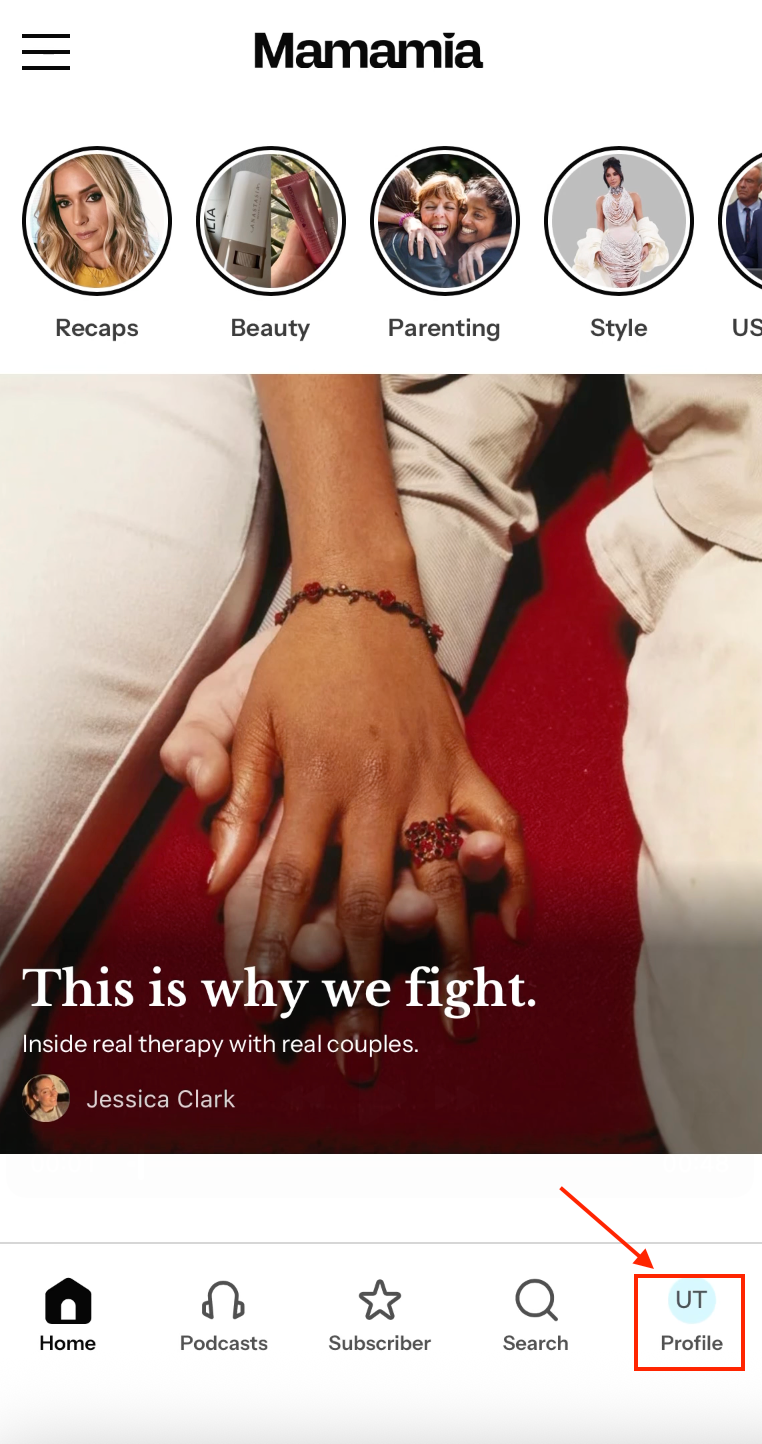
2. Once logged in, click on your profile icon and go to “Account.”
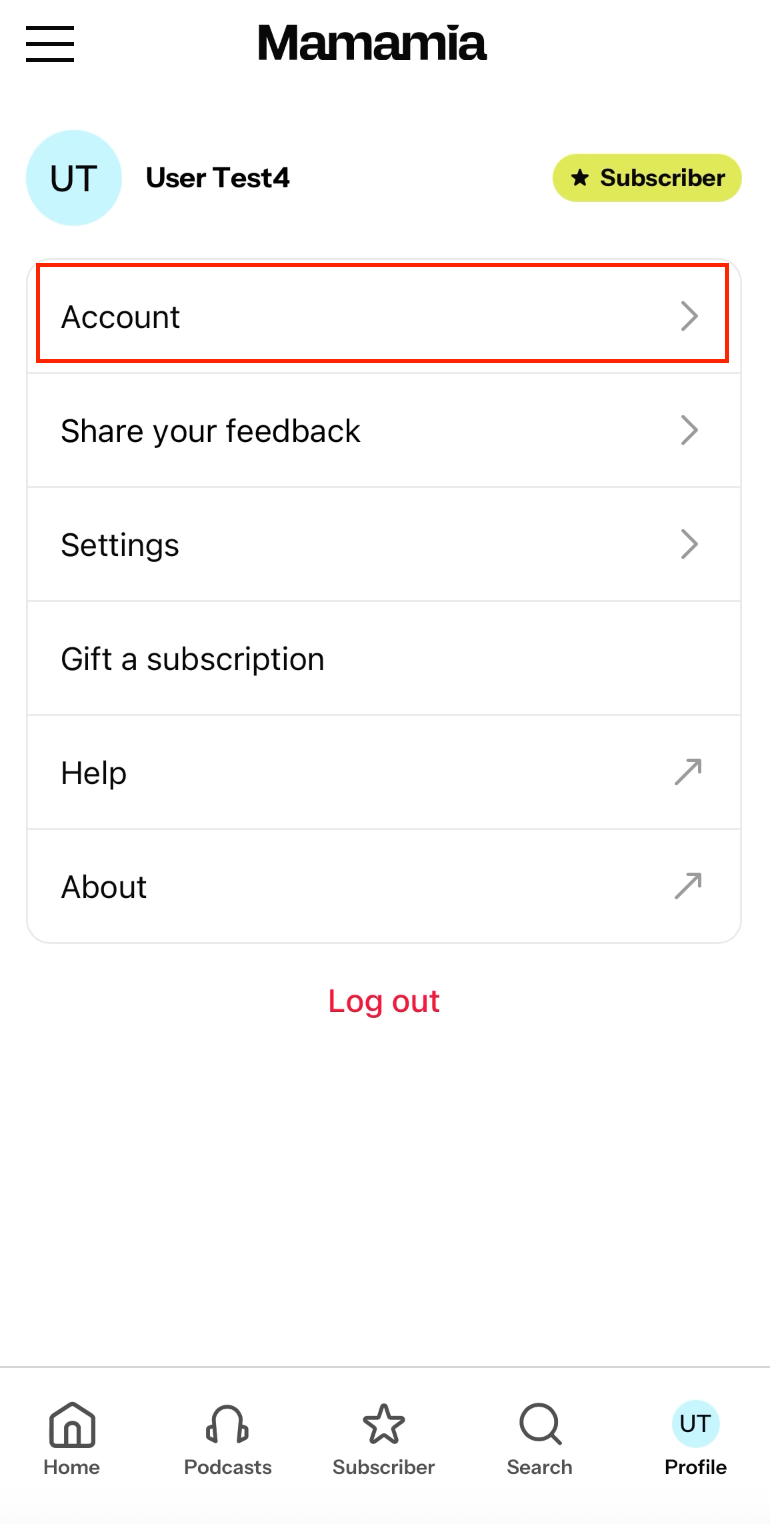
3. Select “Subscription.”
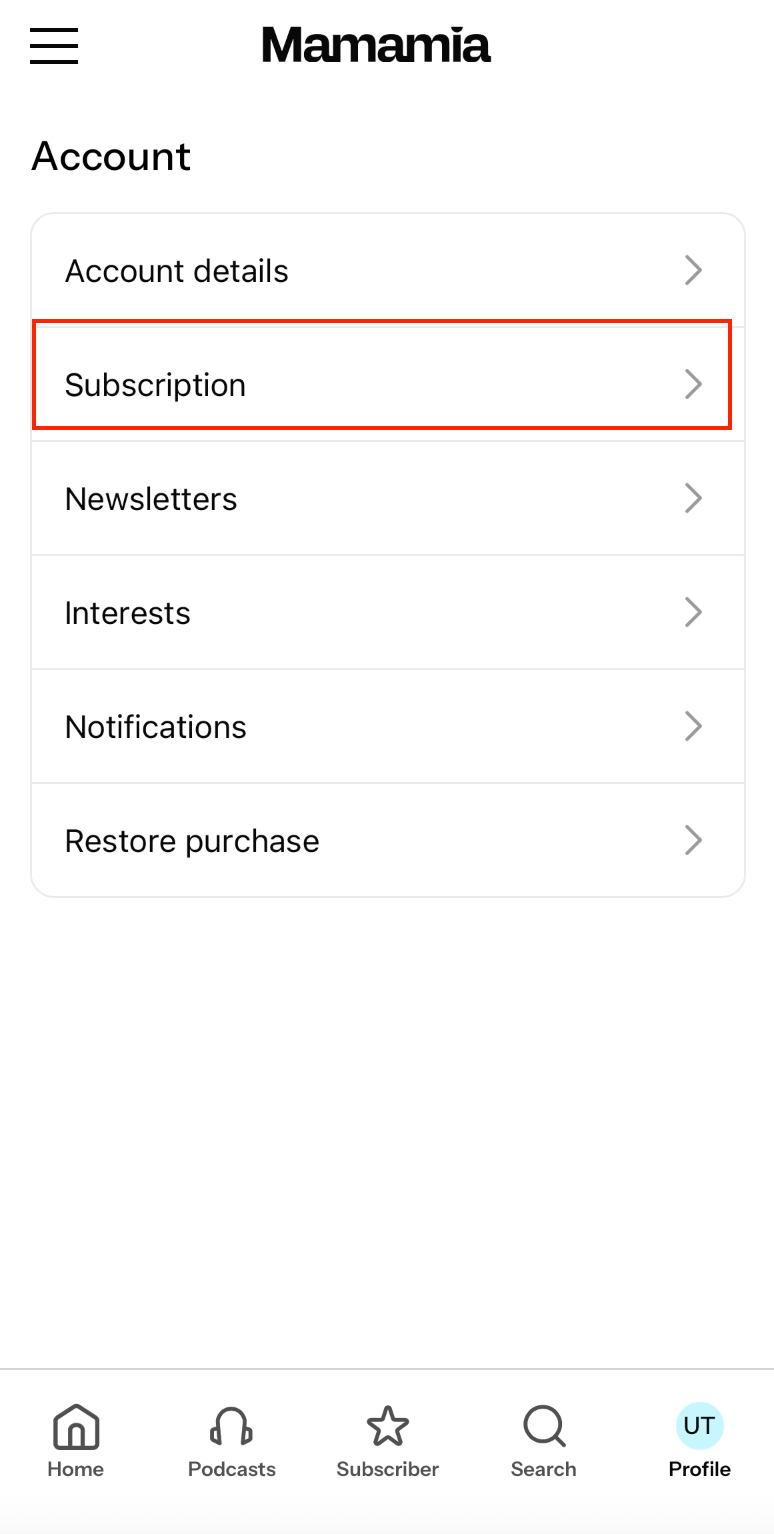
This will take you to our secure payment platform, Stripe.
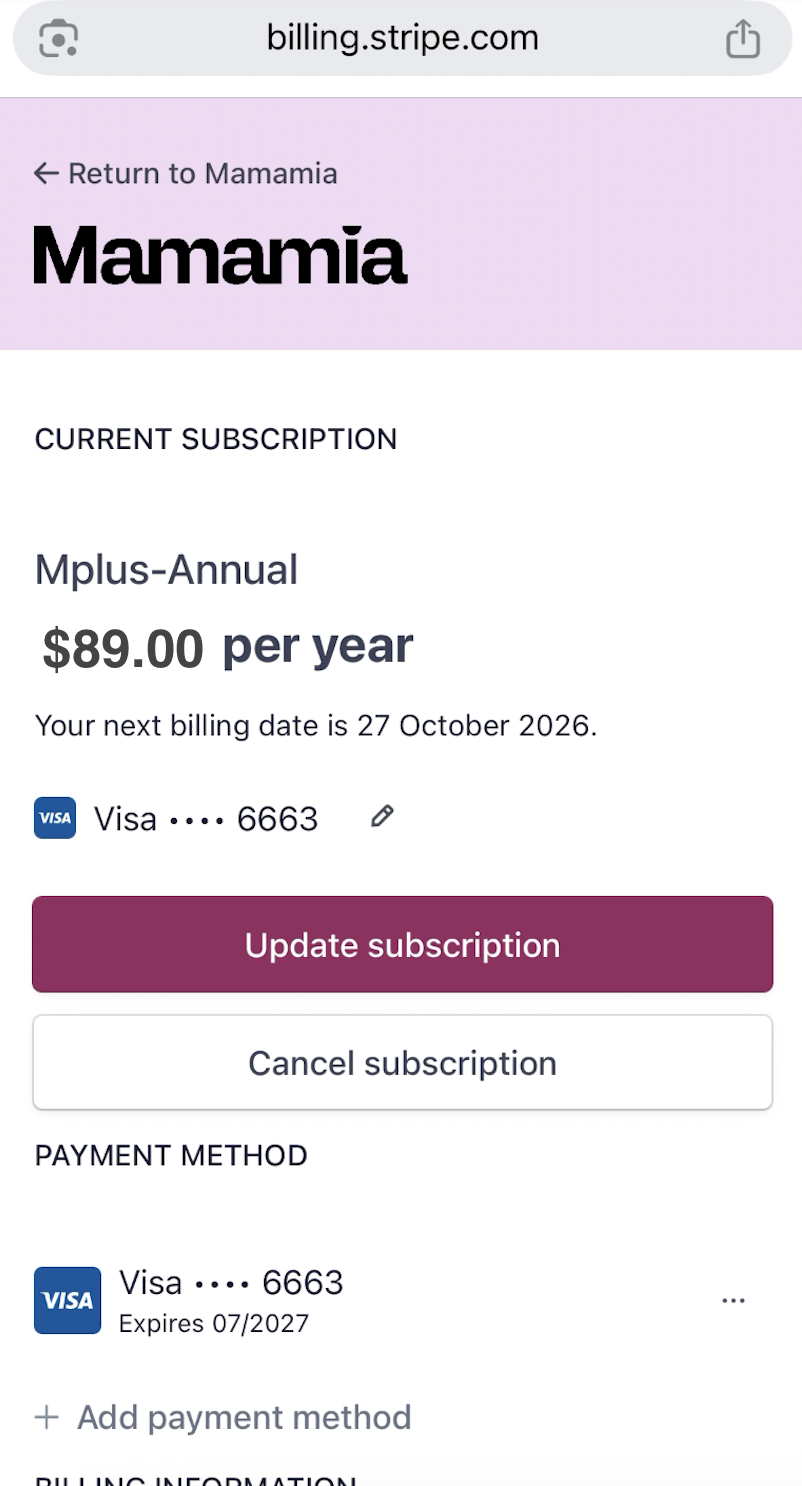
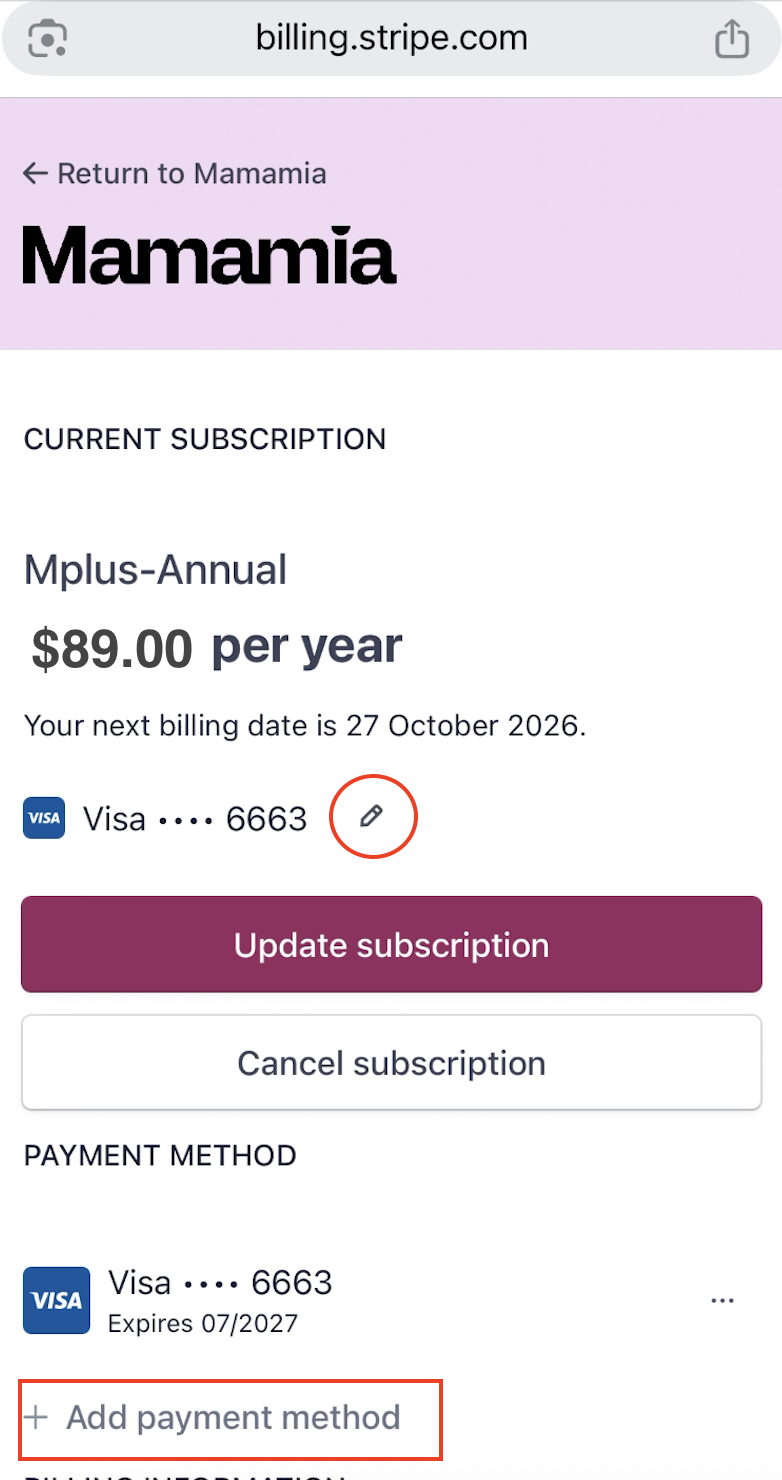
4. In Stripe, you’ll see your current card details.
- To update your card, click the pencil icon beside your card information.
- To add another payment method, click “Add payment method.”
5. Follow the prompts to save your updated details — and you’re all set!
If you have any trouble please email [email protected] and our team will assist.
If you subscribed via Apple, you need to manage your subscription with Apple directly. For more information visit Apple Support.