
How to delete your accountUpdated 3 months ago
How to delete your account
Step 1: Open your Profile
Tap the Profile icon in the bottom-right corner of the app.
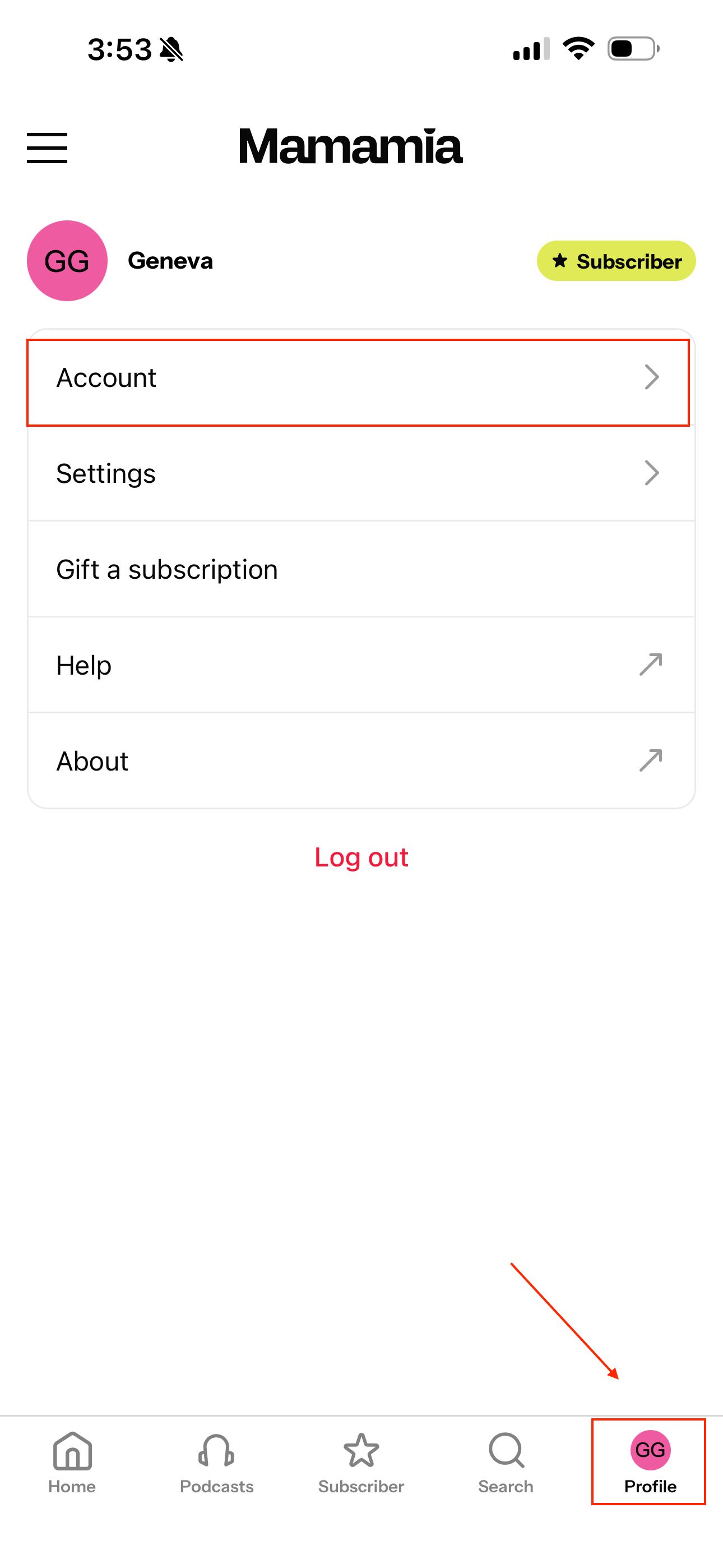
Step 2: Open Account
Tap Account.
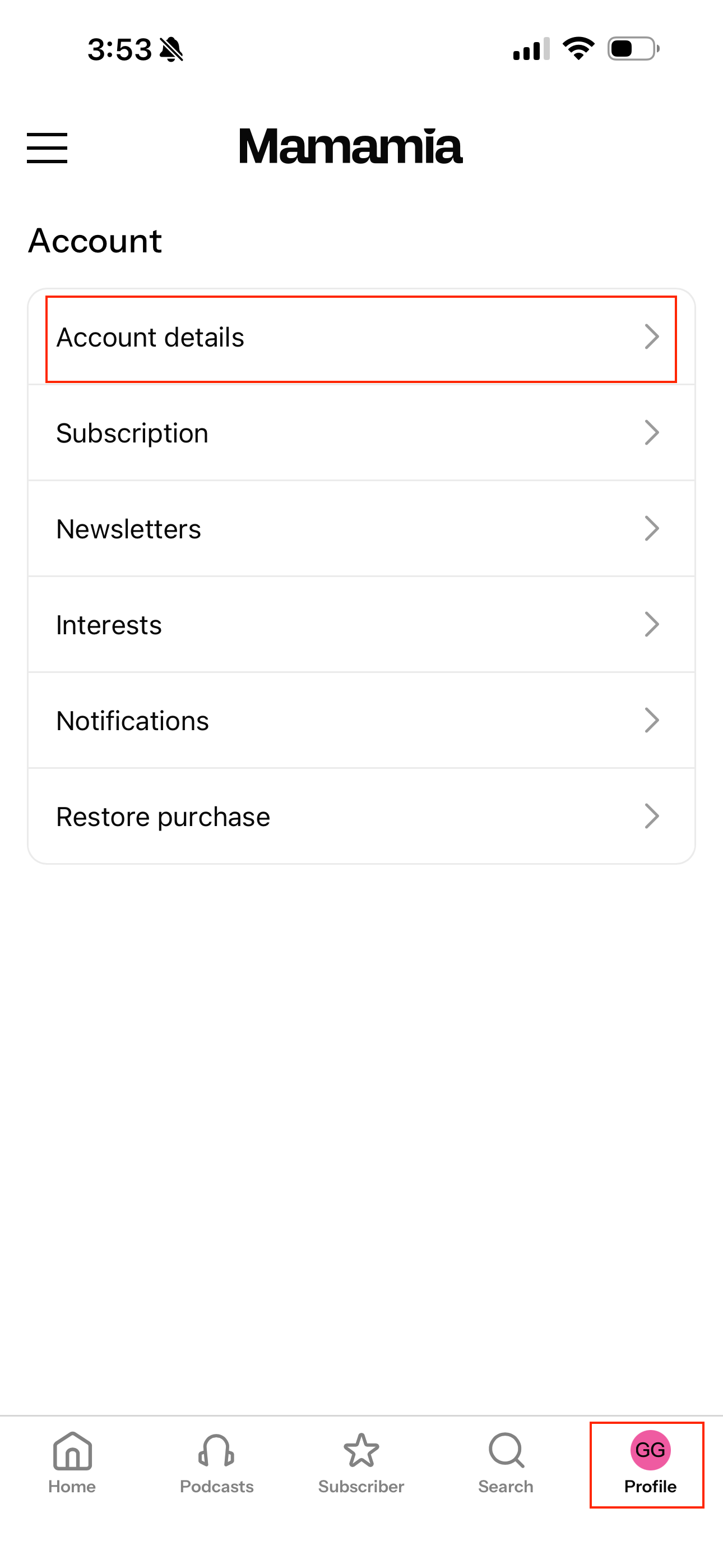
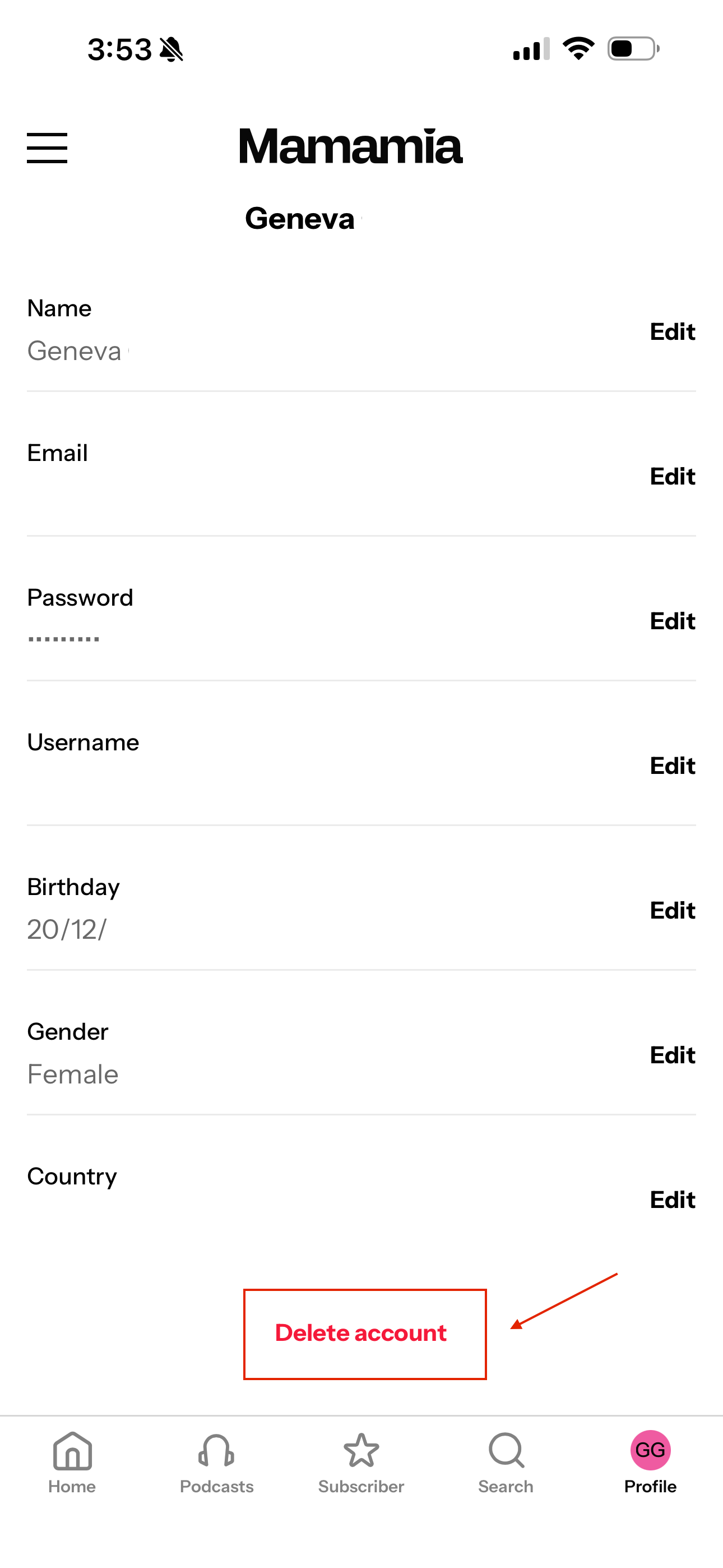
Step 3: Delete your account
Scroll to the bottom of the Account Details page and tap Delete account.
Before you delete your account
Please note:
- Your account cannot be restored once deleted.
- If you have an active subscription, deleting your account does not automatically cancel future subscription renewals if your subscription was purchased through a third party (such as Apple or Google Play). Be sure to cancel your subscription separately through the platform where you purchased it.
- If you subscribed directly through the Mamamia website, please cancel your subscription before deleting your account to avoid future charges.
If you're experiencing an issue with your account and are considering deleting it, our Support Team is happy to help before you make a permanent decision.